All guides
Start a week and pull it
Open a pay week and pull its day sheet and van trips from Service Fusion. · Payroll
Watch it
Step by step
Step 1: Open the week
On Weeks, pick any day in the pay week (Sunday to Saturday) and press Open week. Weeks already opened are listed below; click one to go back to it.
See the whole screen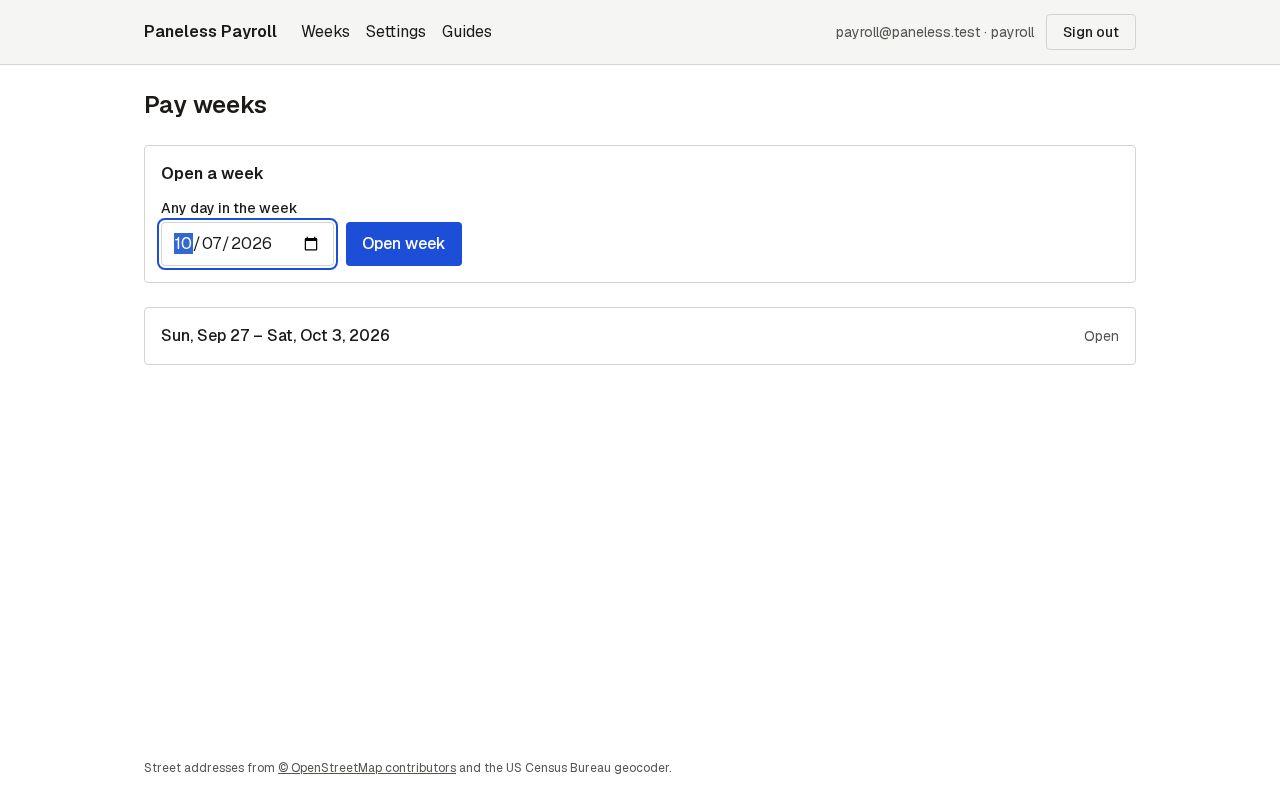
Step 2: Choose the vans
Tick the vans to pull, or leave them all unticked to pull every van.
See the whole screen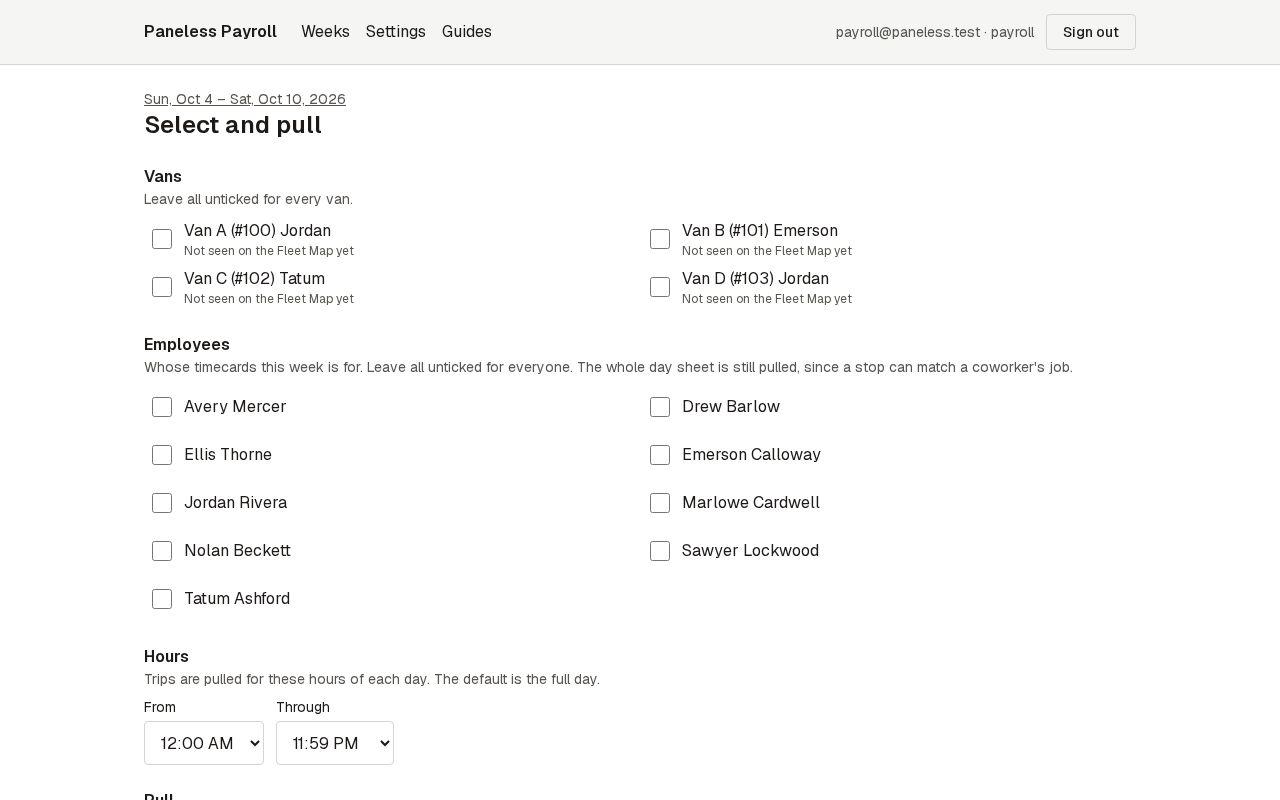
Step 3: Choose whose timecards
Tick the people this week's timecards are for, or leave them all unticked for everyone. The whole day sheet is pulled either way, since a stop can match a coworker's job.
See the whole screen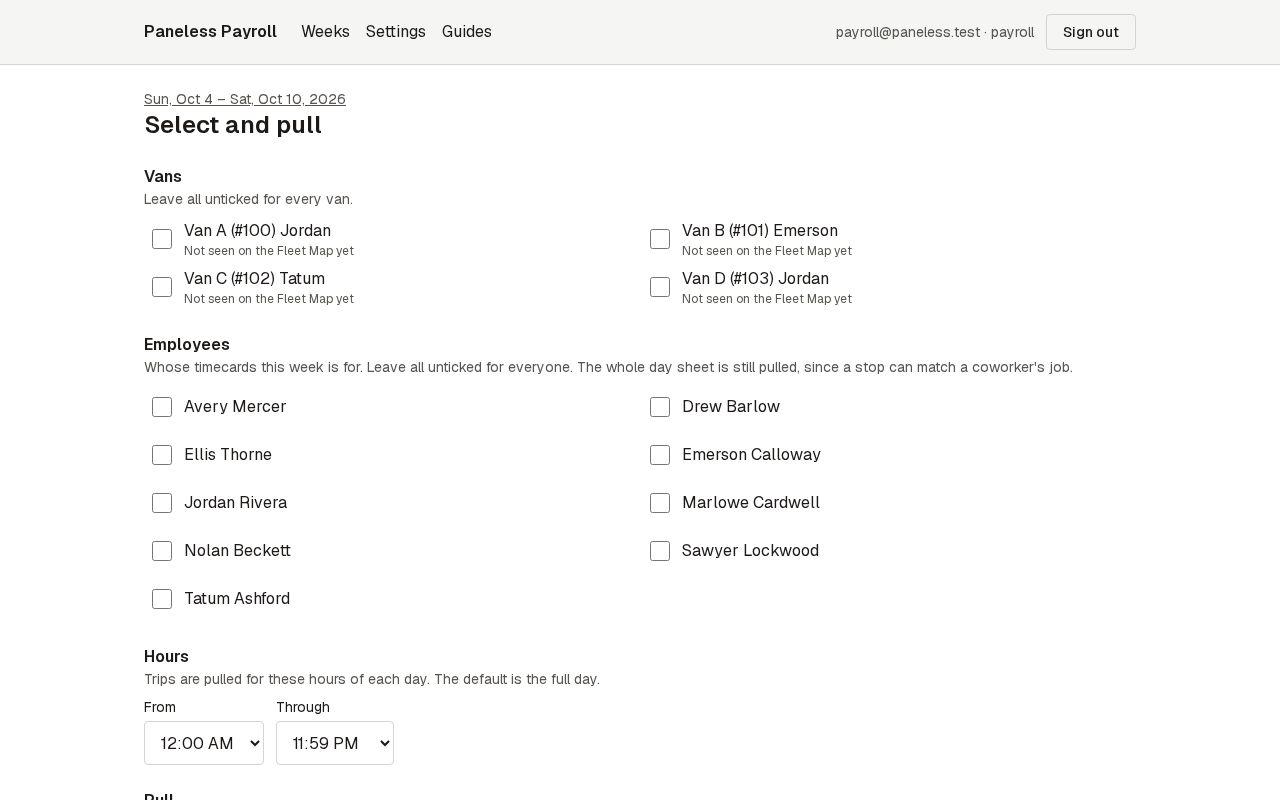
Step 4: Pull
Press Save and pull. The app signs in to Service Fusion with the saved connection and pulls the day sheet and each van's trips for the week. Then go on to the truck log.
See the whole screen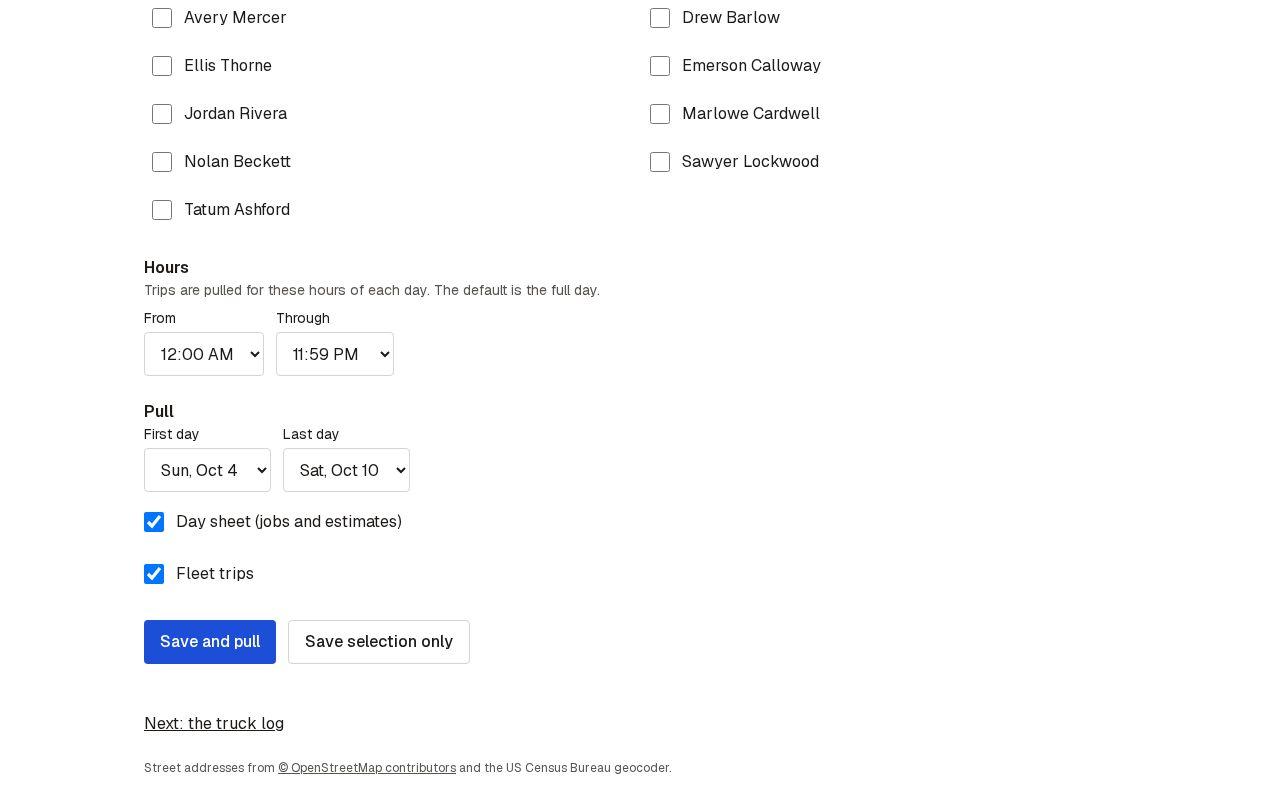
Next guide: Check the truck log