Watch it
Step by step
Step 1: Open the truck log
From the week, open step 2, the truck log.
See the whole screen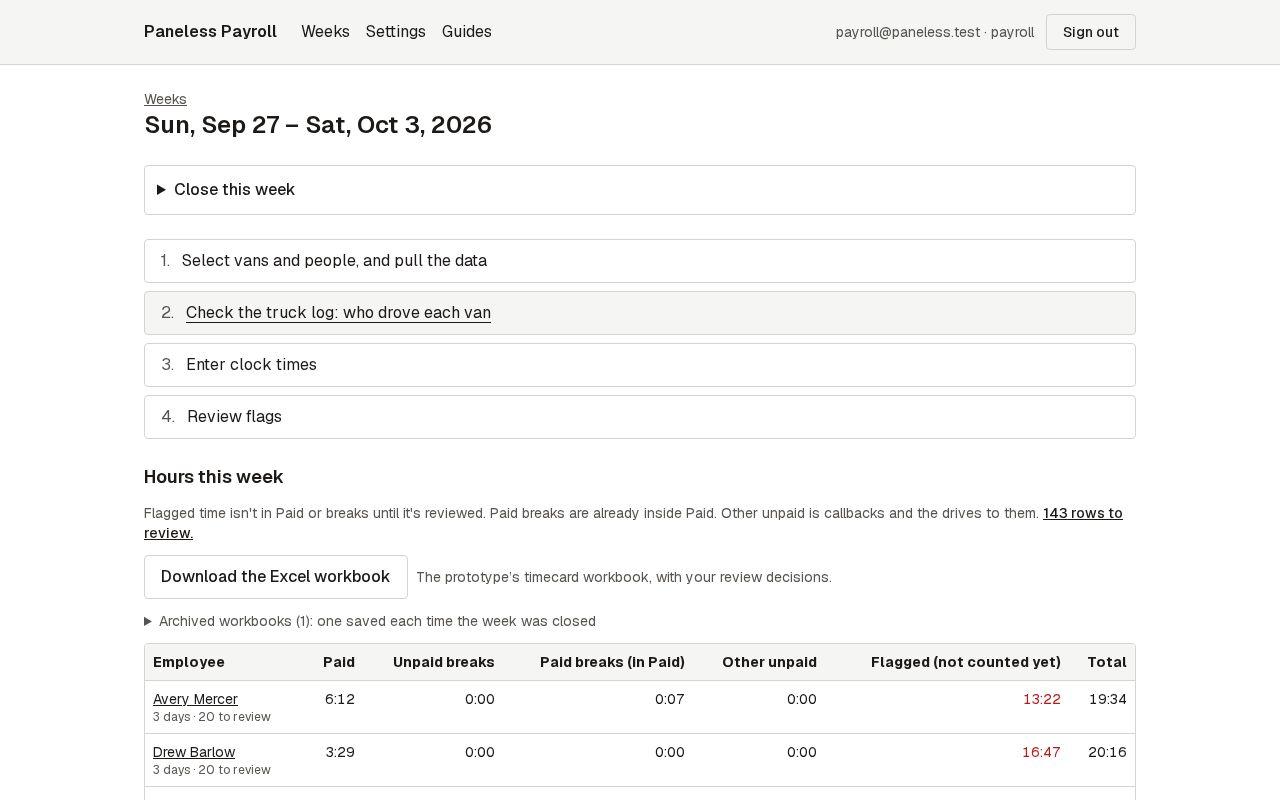
Step 2: Check each van-day that needs a look
These come first. Each shows who the app thinks drove, when the van went out and came back, every drive and stop, and why it needs a look. Change the driver or the riders if they're wrong.
See the whole screen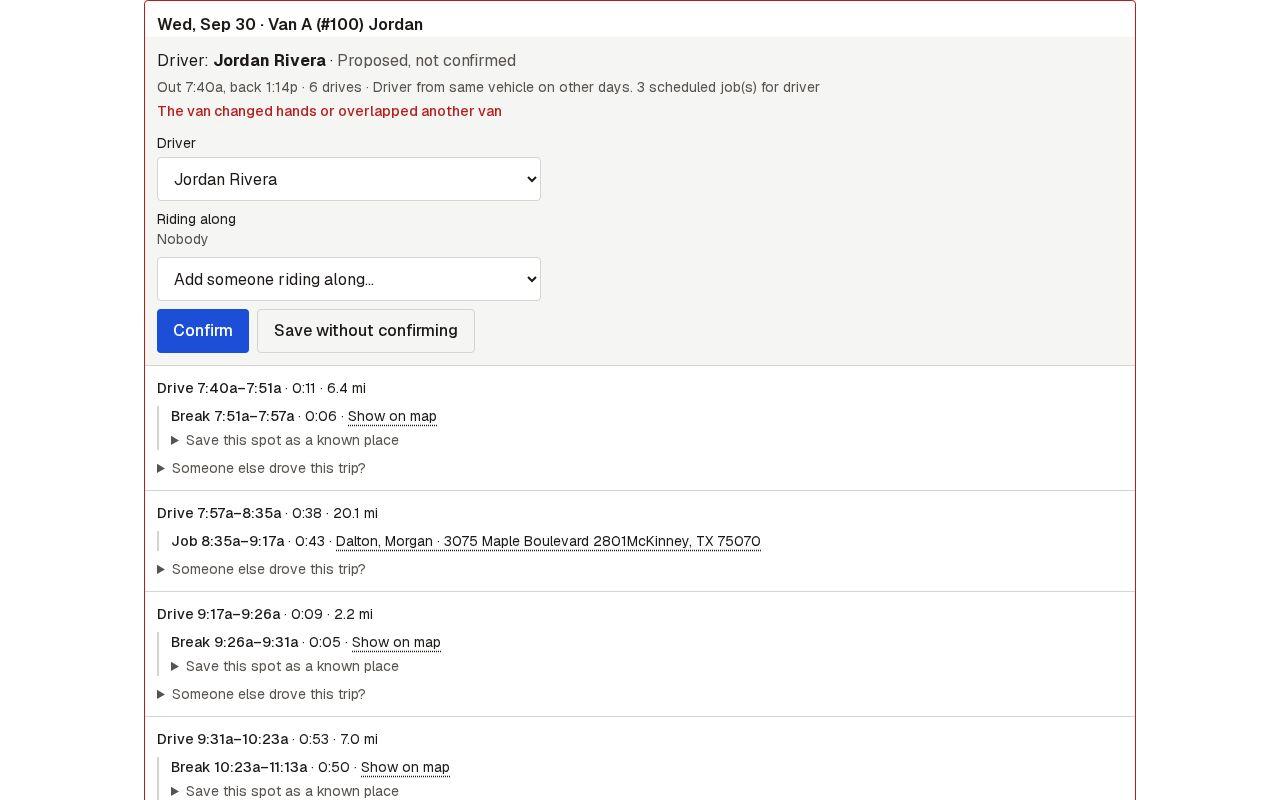
Step 3: Confirm it
When the driver and riders are right, press Confirm.
See the whole screen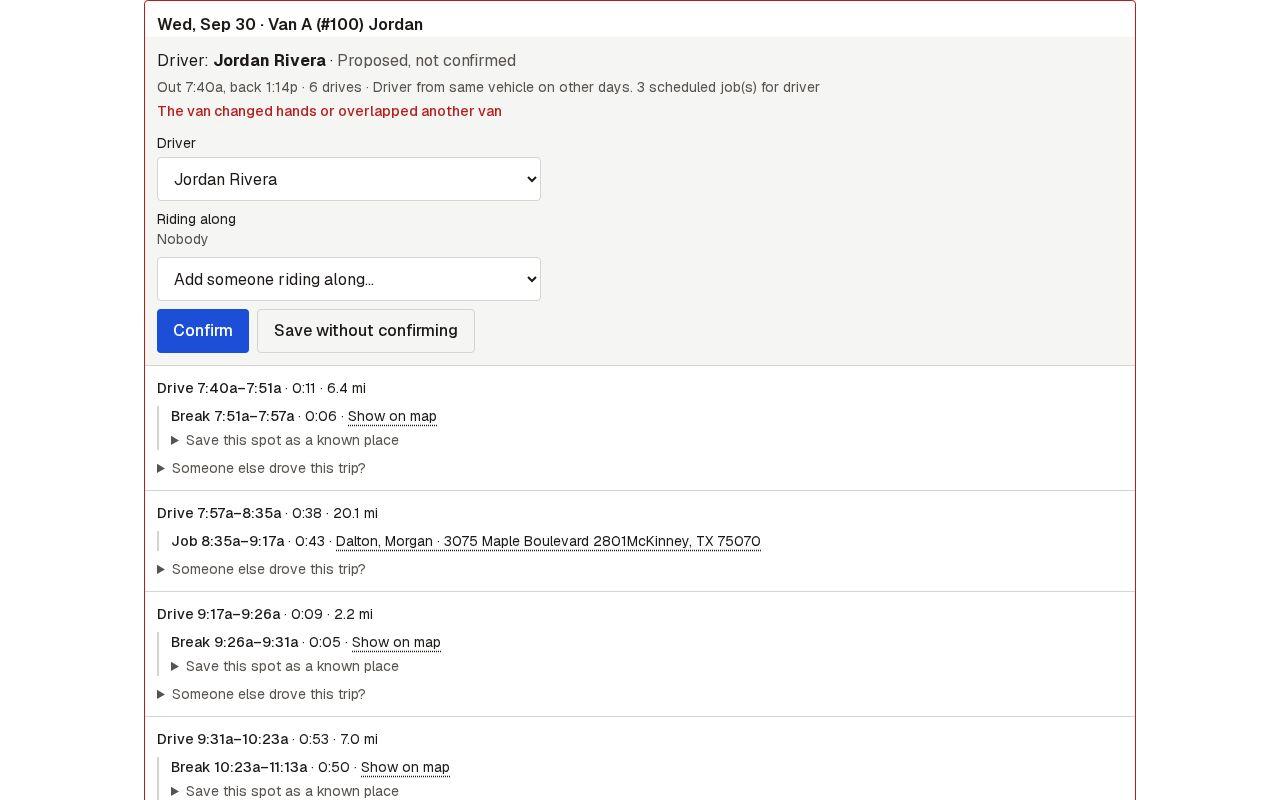
Step 4: Confirm the rest in one go
Van-days with nothing unusual are grouped under Looks fine. Open any to check it, then press Confirm all to confirm them as shown.
See the whole screen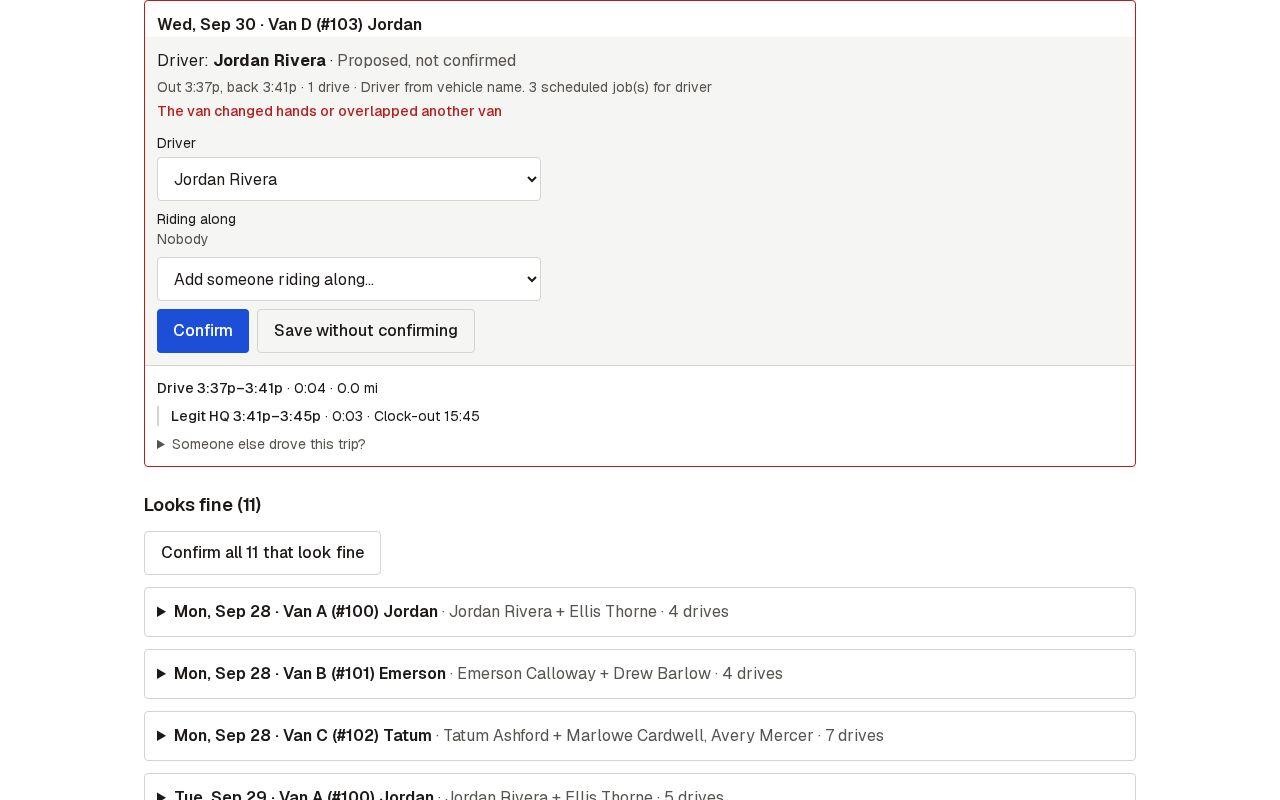
Next guide: Enter clock times